
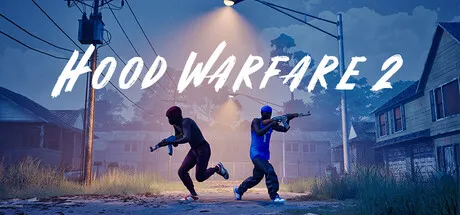
Hood Warfare 2 is Trapstar Games’ Chicago-set PC shooter, released on October 8, 2026. The developer’s website links to its Steam edition and separately lists the original Hood Warfare. Use this guide to check the edition, prepare your PC and understand match objectives before installing.
Hood Warfare 2 Steam entry and installation
The official store address identifies Steam app 5155360. Check the full game name and developer on that page before purchasing: the original is a separate product. View the price in your own Steam region; discounts and currencies can change, so a video calling it a five-dollar game is not a current checkout price.
- Open the official Steam listing linked above.
- Compare your PC with the published requirements below.
- Review the current price and store information, then complete any purchase through Steam.
- Install through your Steam Library and follow the client’s current startup prompts.
The checked listing names Easy Anti-Cheat as a kernel-level anti-cheat. Review the store’s software notices before installation. For an installation or startup problem, keep the exact message and use the game’s Steam support or discussion links; generic optimizer settings do not identify its cause.
Hood Warfare 2 system requirements
The following values are the publisher’s Steam requirements, checked October 14, 2026. They describe the listed configuration targets, not a measured FPS result.
| Part | Minimum | Recommended |
|---|---|---|
| Windows | 10, 64-bit, version 1909 or newer | 11, 64-bit |
| CPU | Intel Core i5-9600K / AMD Ryzen 5 3600 | Intel Core i5-12600K / AMD Ryzen 5 7600 |
| RAM | 8 GB | 16 GB |
| GPU | NVIDIA GTX 1660 / AMD RX 5600 XT 6 GB | NVIDIA RTX 3060 Ti / RTX 4060 8 GB |
| DirectX | 12 | 12 |
| Free storage | 25 GB | 30 GB |
| Network | Broadband | Broadband |
| Audio | DirectX-compatible sound card | DirectX-compatible sound card |
Source: Hood Warfare 2 Steam system requirements.
Check your configuration before installing
Write down your exact CPU and GPU models, installed RAM, Windows version and available space on the intended install drive. Compare each item separately. A matching CPU does not resolve a different GPU requirement, and a graphics-card name is different from its memory capacity.
Keep a simple checklist:
- Operating system: compare both the Windows version and 64-bit requirement.
- Processor and graphics: use complete model names, rather than only Intel, AMD or NVIDIA.
- Memory: record RAM separately from GPU memory.
- Storage: check free space on the install drive, rather than its total capacity.
- Updates: record the game build and graphics driver when evaluating a later result.
Meeting a published configuration target does not specify a resolution, graphics preset or guaranteed frame rate. A hardware comparison also cannot establish stability on a particular machine. If your configuration differs from the listed examples, consult current publisher information rather than treating an untested hardware ranking as a compatibility verdict.
Hood Warfare 2 game modes
The publisher lists six objectives. Use the goal of the selected mode to decide what your team should prioritize.
| Mode | Published objective |
|---|---|
| Turf War | Hold territory to score. |
| GangBang | Team kills decide the winner. |
| Chaos | Free-for-all kills. |
| Hit A Lick | Capture and return the opposing bag. |
| Destroy The Block | Plant or defuse; one life per round. |
| Chain Snatch | Collect enemy chains; recover friendly chains. |
The official description also describes configurable matches with bots. For an initial practice session, learn the controls and objective before changing several settings at once. These mode summaries are publisher descriptions, not weapon rankings or a claim about the best competitive loadout.
Hood Warfare vs Hood Warfare 2
The two names identify different Steam products. Their dates and city settings are confirmed by the developer’s website and their respective store pages.
| Edition | Original Hood Warfare | Hood Warfare 2 |
|---|---|---|
| Steam app | 2274510 | 5155360 |
| Release | January 26, 2023 | October 8, 2026 |
| City setting | Detroit | Chicago |
| Store | Original edition | Sequel edition |
The original listing includes Early Access and a zombies mode. Do not carry that mode description or the original’s older requirements over to the sequel. When following a walkthrough, check the edition named in it first.
Measure Hood Warfare 2 performance on your PC
Use your own measurements to evaluate a settings change. The FPS comparison tool summarizes entered runs; it does not detect your hardware, run the game or predict frames from a parts list.
- Record the game build, driver, resolution, settings and measurement tool.
- Choose a scene or route you can repeat as consistently as possible.
- Warm up, then record at least three runs before a change.
- Change one setting, repeat under matching conditions and retain the raw captures.
- Compare the averages and run-to-run spread, alongside crashes or other stability notes.
A live multiplayer match changes with players and events. If your before-and-after samples come from different matches, include that limitation rather than attributing every FPS difference to your setting. The testing methodology explains the comparison, and the testing worksheet provides a blank record template.
Hood Warfare 2 FAQ
Can I play Hood Warfare 2 in a browser?
The official route documented here is a Windows PC installation through Steam. This guide provides a store link, not a web player. For projects with browser entry links, use our separate browser-game directory.
Is Hood Warfare 2 free?
The checked Steam listing offers a purchase. Follow the current store price for your region; this guide does not host an installer or a free copy.
Can I play with friends or bots?
The publisher describes online multiplayer and configurable bot matches. Check the current in-game match controls when setting up a session.
Does the requirements table guarantee 60 FPS?
No target frame rate or test result is established by this table. Record your resolution, settings and repeated captures, then compare them using the measurement tools above.
Is Hood Warfare 2 the game from 2023?
The 2023 release is the original Hood Warfare. Use the edition comparison above to choose the correct Steam page and guide.
Sources
Check the sources below for current product details, requirements and terms.