
Two-Minute Drill is a daily football play-calling game at nfl2mindrill.com. You manage a late-game situation rather than steer a player with a controller. The project describes its situations and play library as based on real NFL data, but it is an independent fan project, not an NFL-endorsed game.
We played its Daily No. 5 on October 16, 2026, made offensive calls, tested a mid-drive reload and finished with a 26–23 overtime win. The numbers below describe that session. They are not today’s guaranteed scenario, a perfect-score solution or a prediction of an actual NFL game. No account, purchase, installer or original game file was requested for the checked Daily route.
Open the Two-Minute Drill game
Use the original host linked above. The first visit showed a short One drive a day introduction; Let’s go dismissed it. The daily introduction then identified the matchup, score, remaining time and available timeouts. Next opened the field and play controls.
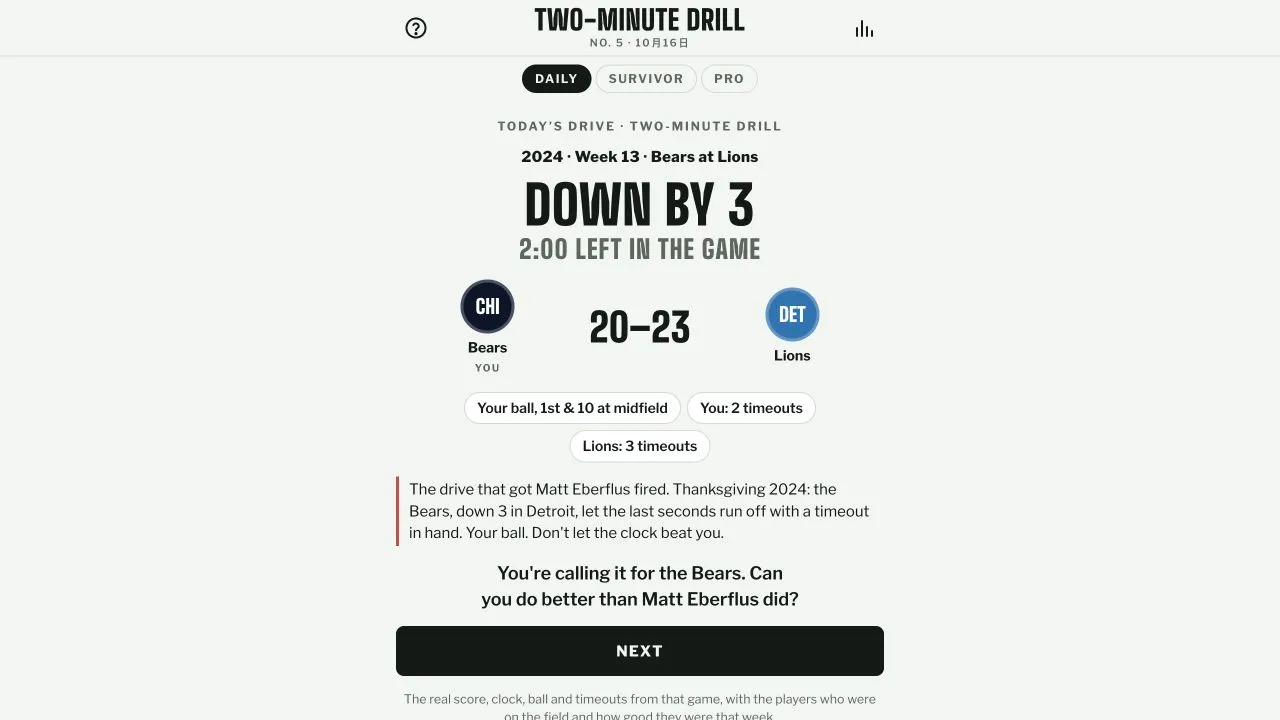
Our introduction used the 2024 Week 13 Bears at Lions situation. Chicago trailed 20–23, with 2:00 remaining, 1st & 10 at midfield, and two Chicago timeouts. Read those details before choosing a play: a late field goal can tie a three-point deficit, while a different score may demand a touchdown.
The field’s numbered markers represent players. Their colors indicate the project’s player ratings. Clicking an individual marker is distinct from calling a play; the actionable choices sit beside or below the field, depending on screen width.
Read the football situation first
| On-screen term | What to read before acting |
|---|---|
| Down and distance | 2nd & 2 means the second down, with two yards needed for a new set of downs. It is not a two-point score deficit. |
| Ball position | their 42 puts the ball on the opponent’s 42-yard line; your 24 is on your side. |
| Clock | Check whether it is stopped or running. The tempo control can spend additional time before a snap. |
| Timeouts | These are limited opportunities to stop the clock. Our opening showed two for Chicago. |
| Defensive look | The checked screen alternated between a light box and a loaded box. Read the current label instead of assuming the defense stays the same. |
| Field-goal option | The tool displayed kick distance and an estimated make percentage. Neither is a guarantee. |
Calling runs and passes
Run opens a second menu with outside, off-tackle and inside runs, plus middle and quarterback options. Choose the specific play to execute it. A separate Get out of bounds switch attempts to stop the clock; its visible note says that outcome is not guaranteed.
Pass opens the receiver choices. The interface explains two different actions: tap a receiver on the field to change his route, or choose a named receiver button to throw to him. The checked menu also exposed Play action, Roll out and Out of bounds controls. We tested named receiver buttons, not every route-editing combination.
Once a play starts, let its animation resolve. Read the written result, the new down and distance, and the evaluation together. Replay was visible after a result; it should not be assumed to mean a fresh daily attempt or a way to erase the recorded call.
Our checked drive: a useful result is not a perfect call
| Checked action | Observed result |
|---|---|
| Run → RB outside, strong side | D’Andre Swift gained 8 yards. The situation became 2nd & 2 at their 42, and the display moved from 32% to 39% win chance. |
| Reload at that point | The game restored CHI 20, DET 23, 1:54, and 2nd & 2 at their 42 in the same browser. |
| Pass → Cole Kmet, Quick out | The pass gained 7 yards for a first down at their 35. The displayed win chance remained 39%. |
| Milk it tempo → RB off tackle, strong side | The run gained 2 yards, but the evaluation called the play costly. A positive yardage result did not mean the best decision. |
| Run it down | The game stopped the clock at 0:03 after a timeout. Its evaluation marked our clock decision as a big miss. |
| Field goal, 50 yards | The kick was good, taking the score to 23–23 at the end of regulation and opening an overtime choice. |
These observations explain the interface; they are not a recommended sequence. We deliberately checked different controls, including a poor clock-management decision. In overtime we chose to kick off, sent the ball through the end zone and used Let the coordinator call this drive for the opposing possession. That automation is a separate action from choosing every defensive call yourself. Our next possession started at our 24. A post to Rome Odunze gained 39 yards, then a 54-yard field goal ended the game 26–23. Despite the winning kick, the game marked that play call as a big miss compared with its preferred deep shot.
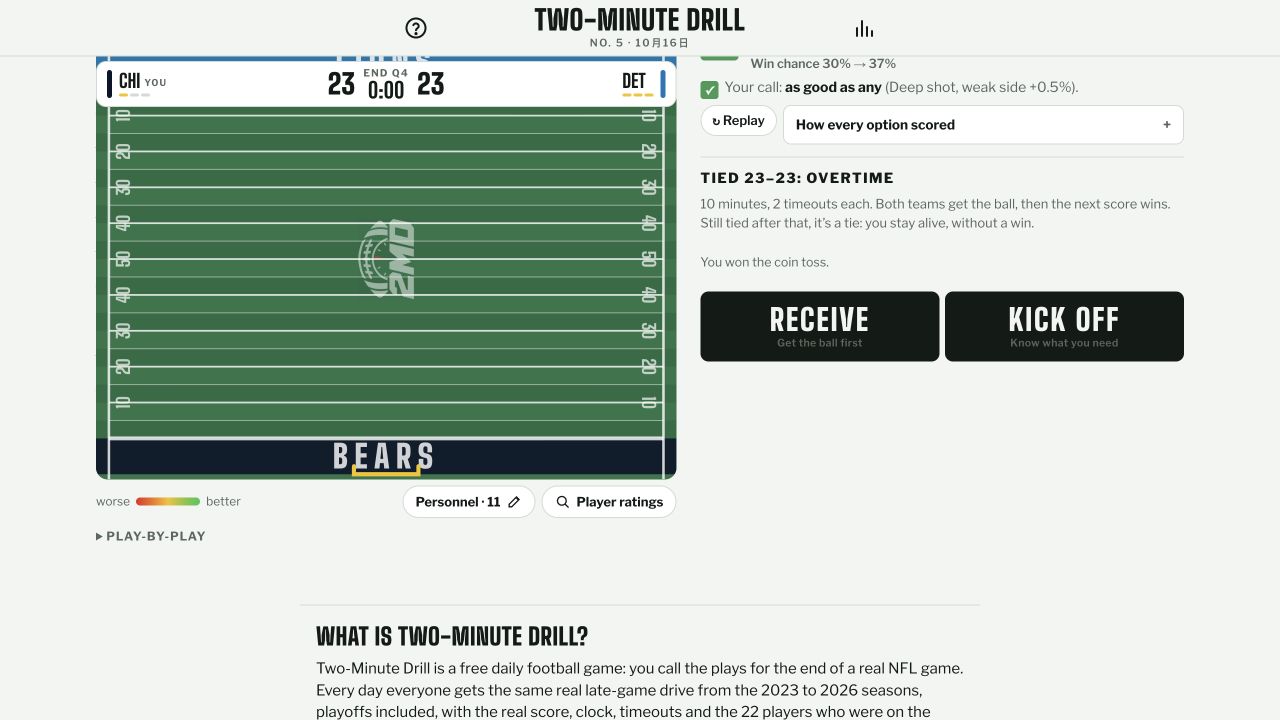
Original-host session captured October 16, 2026. Game presentation and football names belong to their respective owners.
How the scoring differs from the scoreboard
The project’s scoring explanation says it compares available calls using a simulated chance of winning. A favorable play result and a good decision are related, but they are not identical. Our first eight-yard run received a close grade because the model preferred another available run.
The final Today’s score screen displayed 11, described as better than 11% of NFL play-callers, despite our overtime win. This is a model comparison shown by the host, not a measured ranking against every real NFL coach.
Use the text beside the result to understand what was evaluated. Our session distinguished a before-the-snap tempo decision from the play call itself. A green symbol in one part of the evaluation did not cancel a costly choice in another part. Model percentages remain estimates; they do not account for everything a real coach could know.
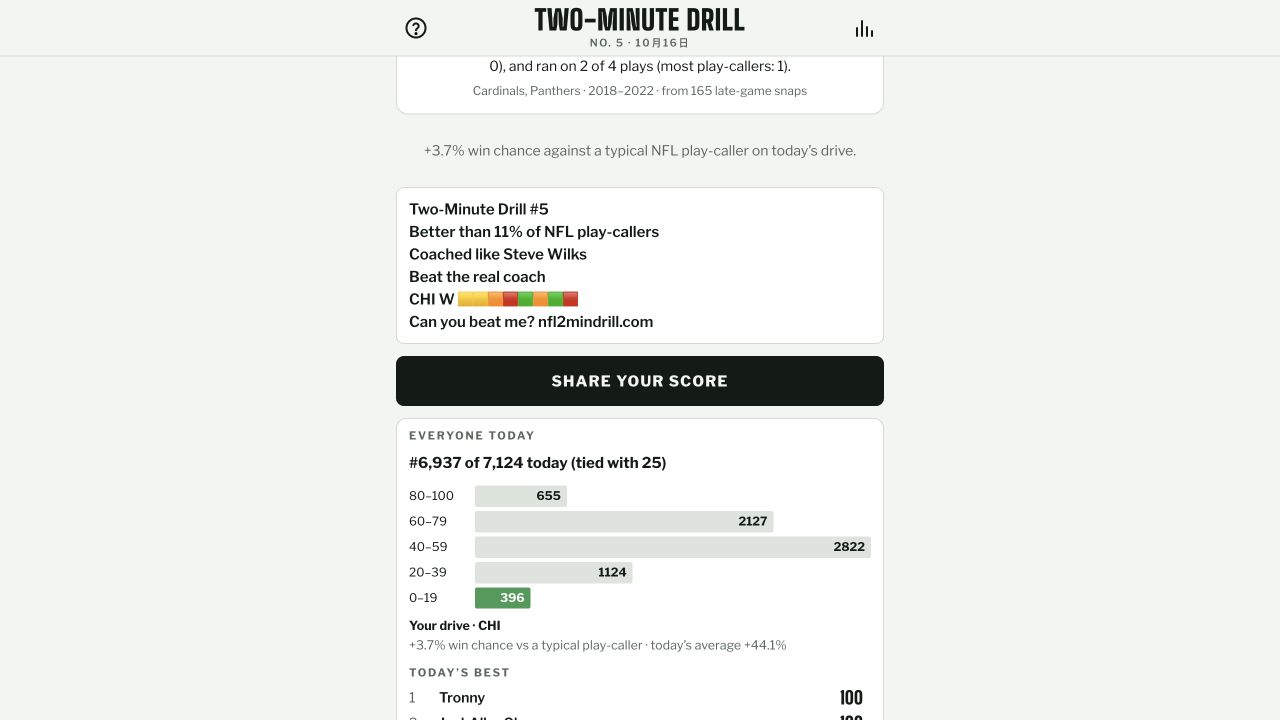
Daily No. 5 score summary captured October 16, 2026. The project described the score as better than 11% of NFL play-callers.
Does the game save after refreshing?
The mid-drive reload restored the exact clock, score and down-and-distance described above. After the completed game, a further reload returned to the Day 5 score of 11 and a one-day streak. These checks establish same-browser continuation and result retention, not cross-device synchronization or guaranteed recovery after clearing site data.
The project’s privacy notice describes local browser storage for progress and statistics, with completed results used for online leaderboards. Keep that distinction in mind before clearing storage or switching browser profiles. We did not test a signed-in account or account-based recovery.
Daily, Survivor and phone-width controls
Daily is the dated challenge checked here. The project describes Survivor as consecutive random fourth quarters, where losing ends the run. We did not complete a Survivor run or purchase Pro access, so those should not be confused with the recorded Daily session.
At a 390px desktop-browser viewport, the page fit without horizontal overflow and we selected a receiver from the narrow layout. This checks responsive layout and a mouse-driven action at that width. It does not verify a physical phone’s touch response, battery use or network performance.
Is Two-Minute Drill free?
The checked Daily path opened without payment. A Pro navigation item was present; this guide makes no claim that every mode or extra is free.
Does a successful play always earn the best grade?
No. Our eight-yard run advanced the ball, but the game’s evaluation preferred another call. Read both the result and the decision grade.
Is this a live NFL game or a betting tool?
No. This is a fan-made football decision game. Its displayed win chances and play outcomes are game-model estimates, not live odds or guarantees.
For a different daily challenge, compare Poople’s word-chain rules or Originle’s video-clue format. The game list separates sports projects from word and trivia games.
Sources
Check the sources below for current product details, requirements and terms.