
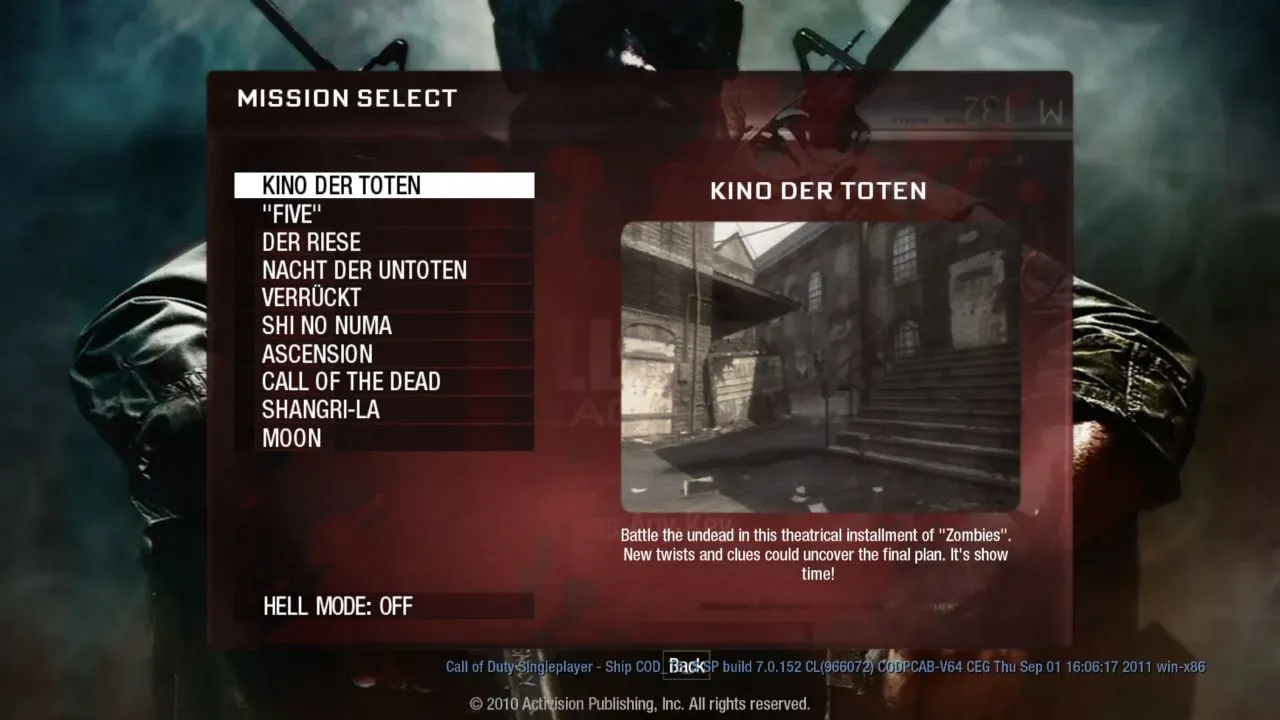
Looking for Black Ops 1 Zombies, BO1 Zombies, or COD Zombies in a browser? The BO1Z project at vel.gg/bo1z opens with a map selector. Choose a named map before expecting a playable scene: the selector and each map’s download screen are separate stages. This guide covers the browser project at vel.gg, which is separate from the Windows utility covered by our Radiant Optimizer download guide.
Maps on the project selector
The October 13, 2026 check followed all ten links from the selector. The table reports the stage actually observed. A loading screen is not proof of a playable map, and the nine short entry checks were not full download or gameplay tests.
| Map | Normal-mode host entry | October 13 observation | Hell-toggle link change |
|---|---|---|---|
| Kino der Toten | Kino | Download completed; manual start reached a Round 1 scene, pause menu and later a one-round result | Adds ?horde=1 |
| “Five” | Five | Map title and disabled LOADING button | Adds ?horde=1 |
| Der Riese | Der Riese | Map title and disabled LOADING button | Adds ?horde=1 |
| Nacht der Untoten | Nacht | Map title and disabled LOADING button | Adds ?horde=1 |
| Verrückt | Verrückt | Map title and disabled LOADING button | Adds ?horde=1 |
| Shi No Numa | Shi No Numa | Map title and disabled LOADING button | Adds ?horde=1 |
| Ascension | Ascension | Map title and disabled LOADING button | Link unchanged |
| Call of the Dead | Call of the Dead | Map title and disabled LOADING button | Link unchanged |
| Shangri-La | Shangri-La | Map title and disabled LOADING button | Link unchanged |
| Moon | Moon | Map title and disabled LOADING button | Link unchanged |
The Hell column describes the selector’s URL behavior only. It does not establish round-100 gameplay on any map, or prove that maps with unchanged links support or reject that mode.
Each selector entry opens its own map address. That makes the selected map name and URL useful when a launch fails: a problem on one map page does not necessarily mean that the selector or every other map is unavailable.
Start with a normal session
- Leave Hell mode off for a first session. The selector describes that option as starting on round 100 with up to 300 zombies and no perk machines.
- Select a map, such as Kino der Toten. Its page has a separate loading view rather than opening directly into a scene.
- Keep the same tab open while the map’s status and percentage continue to change. A repeated refresh starts the loading sequence again; it does not establish that the map is broken.
- Wait for the loading view to finish, then select Click to Start. Read the browser prompt and any instruction displayed by the map page before continuing.
Kino der Toten in browser: the checked startup route
On October 13, the normal Kino entry moved through a downloading percentage, then loading, then CLICK TO START. A manual click in a regular Chrome tab reached the game. The visible scene included a pistol, a Round 1 indicator, 500 points and an 8/24 ammunition display. An Escape-key action changed the pause presentation to a CLICK TO RESUME overlay.
The pause menu displayed RESUME CARNAGE, SETTINGS, RESTART LEVEL and QUIT. A later observation showed GAME OVER — You Survived 1 Round beneath the pause menu. This documents a real opening session; it is not a completed campaign, a high-round strategy or an FPS measurement.
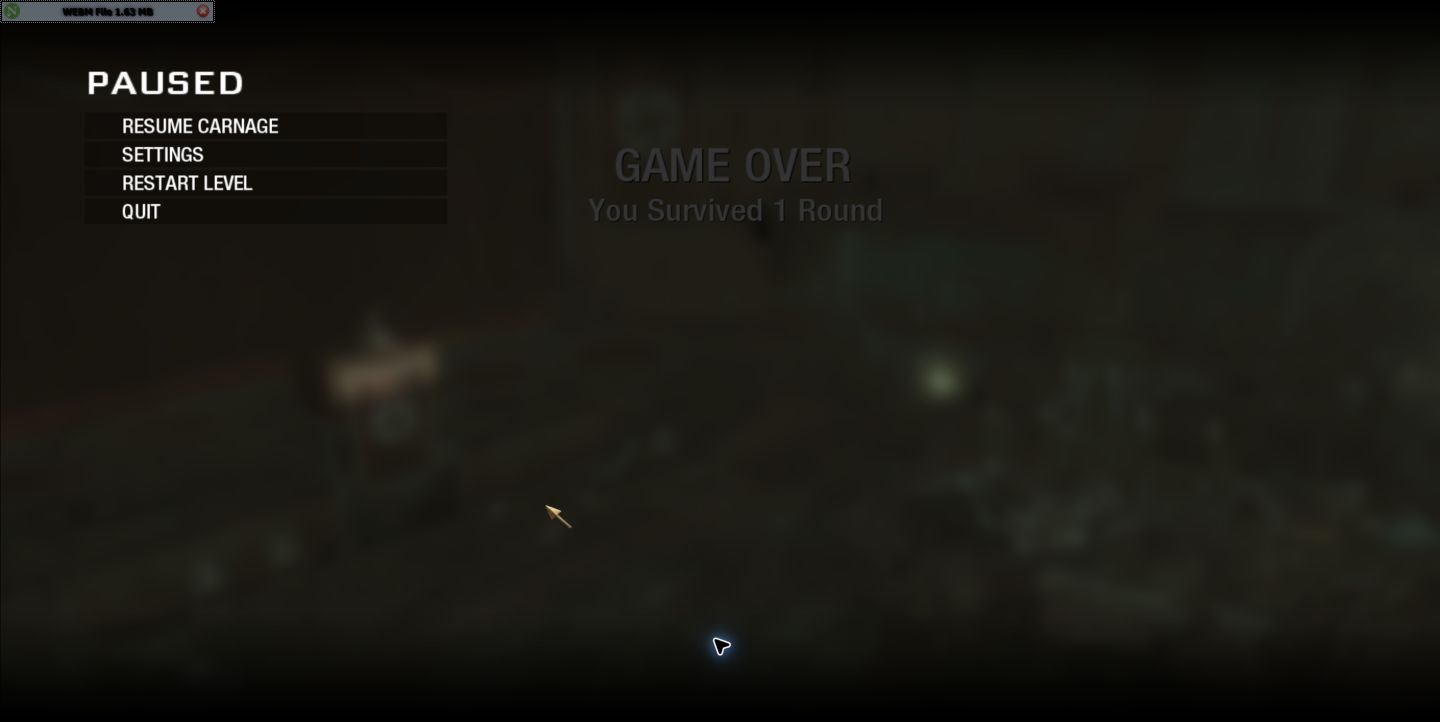
Kino’s pause menu and one-round result, October 13, 2026. The screenshot is a later result view, not the earlier opening HUD.
The checked route entered without a login or original-game-file upload prompt. That observation describes this Kino session, not every map’s requirements or permission to redistribute the original game. Follow the external host’s current information.
After that session ended, closing the tab and reopening the same Kino address showed PRESS ANY KEY TO START with a Music and voices: 39.9 MB label. Pressing Enter began another loading sequence. That label is not the total download size, and this entry observation does not demonstrate a restored round or a persistent save.
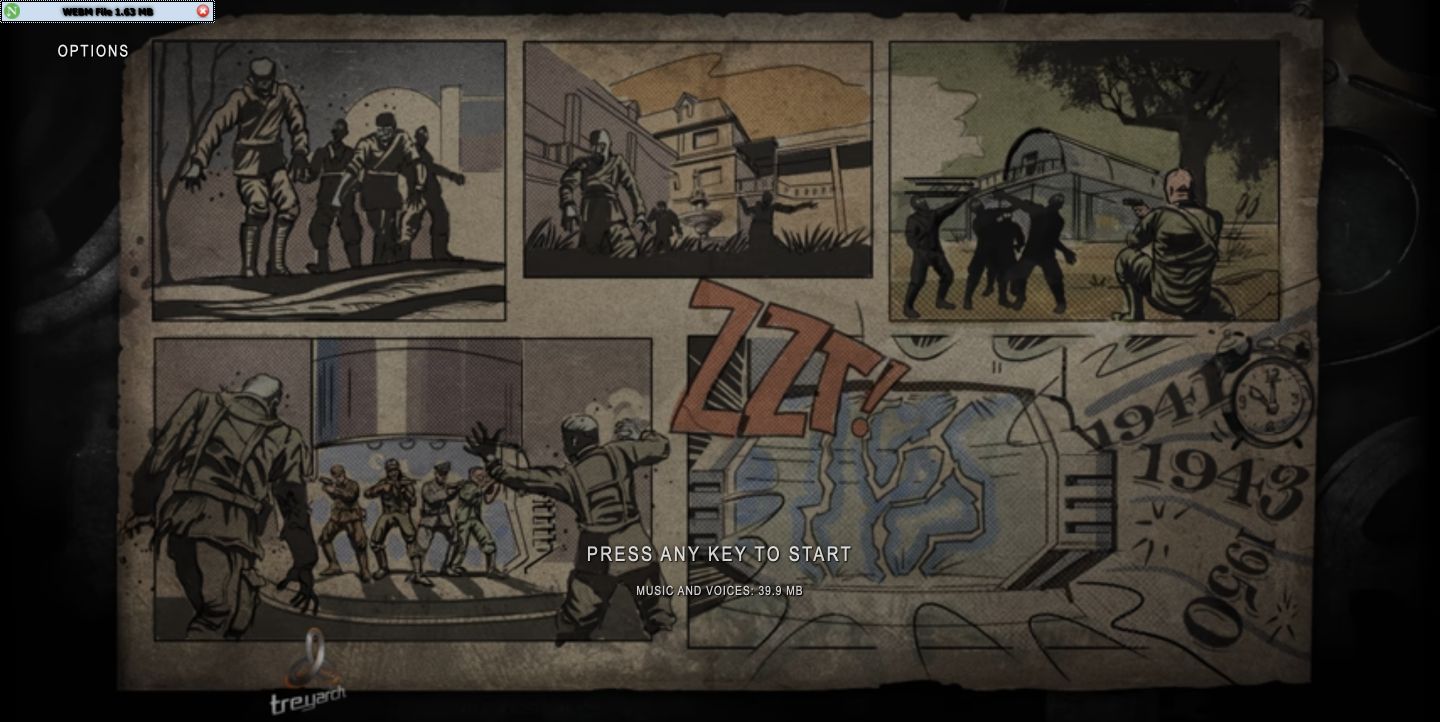
Reopened Kino entry, October 13, 2026. Startup prompts can differ between visits; use the prompt currently displayed.
Options shown on the Kino loading view
Kino’s Options panel showed mouse sensitivity at 5.0, master volume at 50%, and a fullscreen checkbox on October 10. The two sliders were disabled before launch; the fullscreen checkbox was available, and the panel said to reload to change settings. Map features may vary.
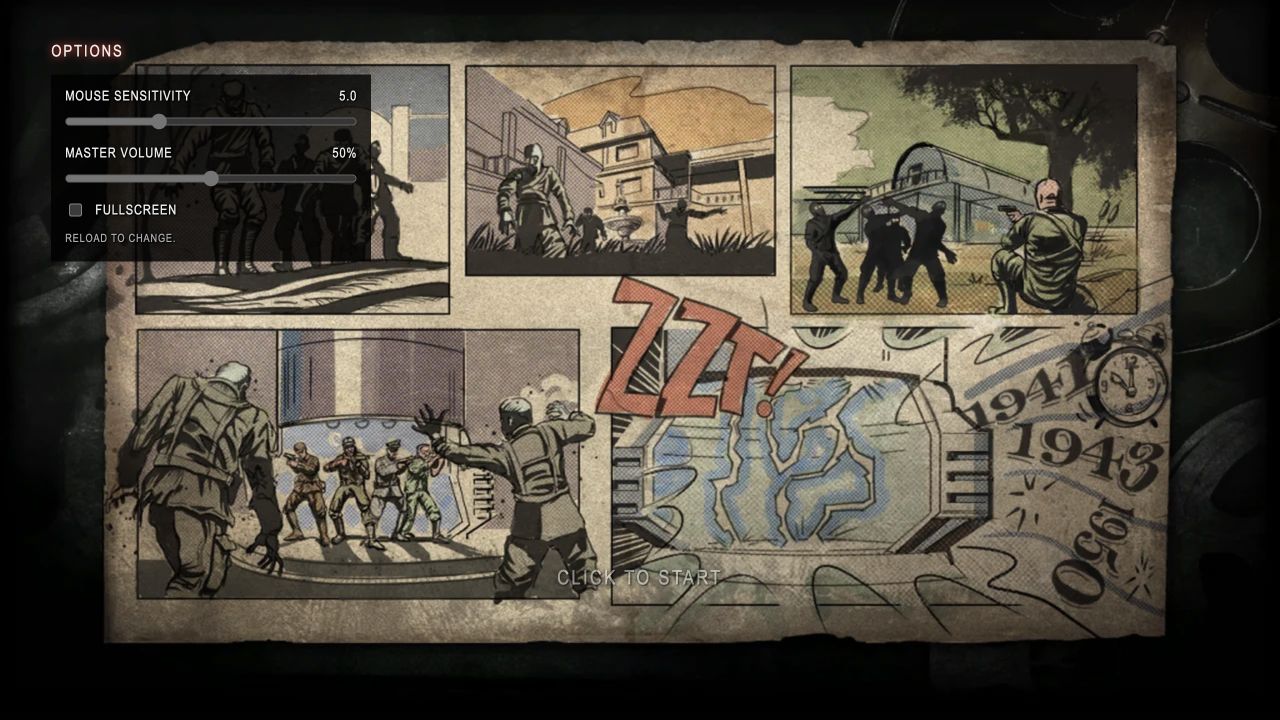
Kino der Toten startup screen with Options open, October 10, 2026.
Mouse or sound access declined
The first automated startup attempt on October 13 displayed Mouse or sound access was declined: The root document of this element is not valid for pointer lock. A subsequent manual click in Chrome entered the game. The message therefore did not establish that the host was broken or that the visitor had refused a permission prompt.
If a similar message appears, activate the regular browser tab and click the visible start control yourself. Read any actual browser prompt. Only change a site permission when the browser identifies that permission as blocked; a document-state error is not evidence that disabling a protection will fix it. Do not bypass security warnings or managed-device restrictions.
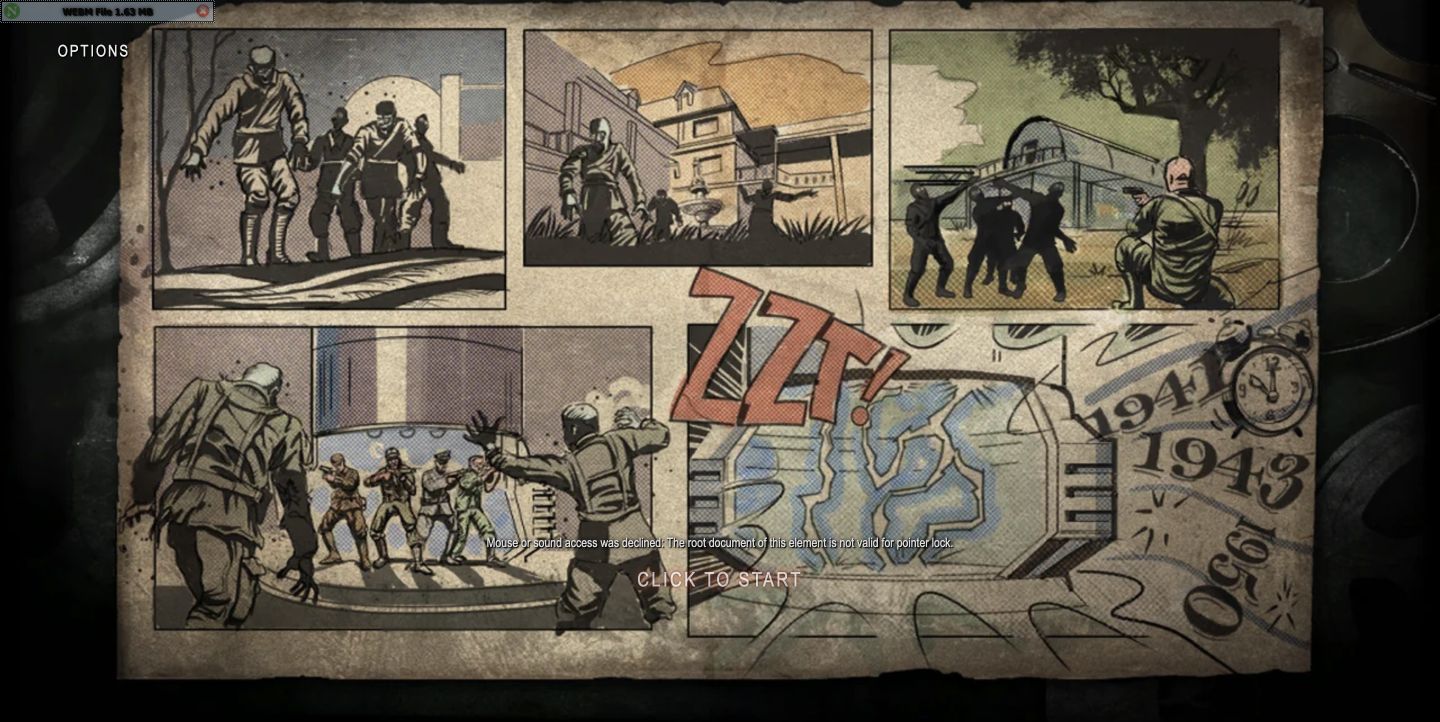
Startup error from the automated attempt, October 13, 2026. Manual activation subsequently reached the game; this image does not represent the final result.
Hell mode: verify the selected link before opening it
The selector describes Hell mode as starting at round 100 with up to 300 zombies and no perk machines. Turning it on changed the first six map links by adding ?horde=1. Ascension, Call of the Dead, Shangri-La and Moon kept their normal link addresses in this selector check.
The Kino Hell entry displayed a matching Hell-mode notice, initially a disabled Loading control and later a Press any key to start prompt. That later screen labelled its download 330.6 MB; this is the host’s displayed size, not an independently measured transfer. That confirms the entry recognizes the requested mode; it does not confirm the number of zombies or the absence of perk machines inside a running session. Begin with normal mode when diagnosing a loading or input problem, so two different launch conditions are not mixed together.
Menu, download or game scene?
Record the stage when reporting a problem. If the map selector works but a selected map does not load, include that map’s URL rather than only the selector address. A loading view that stops advancing is a different symptom from a completed scene that ignores keyboard input.
Use this short sequence before changing settings:
- Return to the selector and open the same map once more in a regular desktop browser tab.
- If the selector loads but that map stalls again, compare one other map without changing several browser settings at once.
- If a map reaches Click to Start but input does not respond, check page focus and site permissions before treating it as a download problem.
For input problems after loading, click inside the game area to return focus. Read any pointer-capture prompt before accepting it, and use Escape to release capture when needed.
Diagnose one condition at a time
Begin with a small check: does the page load, can the game area receive focus, and do its visible controls respond? Keep notes on the browser and exact symptom. If an extension changes page scripts, keyboard shortcuts, privacy behavior, or layout, compare the result in a private window or another current browser. Use that comparison to isolate a cause; do not weaken browser protections or bypass a warning.
If graphics fail to appear or the page renders incompletely, inspect whether the browser has WebGL and hardware acceleration enabled. Follow the browser’s normal settings flow and any organization policy for a managed device. If a setting is unavailable, ask the device administrator rather than attempting to work around restrictions.
Protect stored browser data
Site data can include preferences or locally stored progress. Before clearing a site’s data, write down or export anything the project makes available, because the browser’s clear-data action can delete those records. Use per-site data controls when possible, then reopen the page and test again with the same browser setup.
For a connection or loading problem, note the page URL, selected map, browser version, operating system, and the message or visible state. For an input issue, also note whether Click to Start was visible and whether a permission request was accepted, dismissed, or unavailable. Those details make a report more useful than a general claim that the game “does not work.”
The observed Kino pause menu included restart and quit controls, but no save control. Reopening an ended session returned to a start prompt and loading; it did not establish a resumable save. Record or export a result before leaving if the host offers that option. The directory’s Save game control bookmarks this guide, not the external match.
Black Ops 1 Zombies browser FAQ
Is the browser entry free?
The checked Kino opening route did not display a payment prompt. That observation is not a claim about purchasing the original Black Ops game, licensing, or every future host feature.
Do I need to register or upload a game file?
The checked Kino session opened without either prompt. Other maps and future host versions can use different routes, so read the selected project’s current instructions before assuming the same access requirements.
Why can I open the selector but not play a map yet?
The selector, asset transfer, initialization, start prompt and game scene are separate stages. Our map table distinguishes them. A disabled LOADING button during a short visit is not a diagnosis of a failed or playable map.
Does it work on a phone?
This guide’s successful entry check was in desktop Chrome. In a 390px browser viewport, the selector stayed within the page width, but the mission panel was reduced to a small preview. This layout observation does not verify touch movement, aiming or firing, so desktop input is the documented starting point here. Physical-phone gameplay remains a separate check.
Can I play online with friends?
The observed session and pause menu do not establish a room, invitation or matchmaking route. Use a multiplayer claim only when the host supplies a working route; a browser link by itself is not an invitation to a shared match.
Will closing the tab preserve my round?
The ended-session reopen check returned to a startup prompt. It did not demonstrate round recovery. Keep saving claims specific to a control or recovery flow that the project actually provides.
Which related browser shooters should I try?
The shooter browser games collection compares this project with Freedoom and the Quake hosts, including their different starting requirements. Choose a guide before opening another host.
Read browser-games troubleshooting for the full recovery sequence. The games list links to other browser projects, including Diablo in a browser, whose documented game-data choices require a different setup.
Alternate map addresses: October 14 status
The separately shared moon-zombies.pages.dev, kino-der-toten.pages.dev and cheese-cube.pages.dev addresses showed a redirect page pointing away from the game host during this check. Following Cheese Cube in a browser reached a betting-site destination rather than a game menu. They are not substitute map links in this guide. Use the BO1Z selector and the vel.gg map addresses documented above, and recheck the current host before starting. Cheese Cube is not presented here as a verified BO1 map or a working BO3 game. The separately shared Black Ops 2 host also displayed a creator notice that the games were offline.
Sources
Check the sources below for current product details, requirements and terms.