
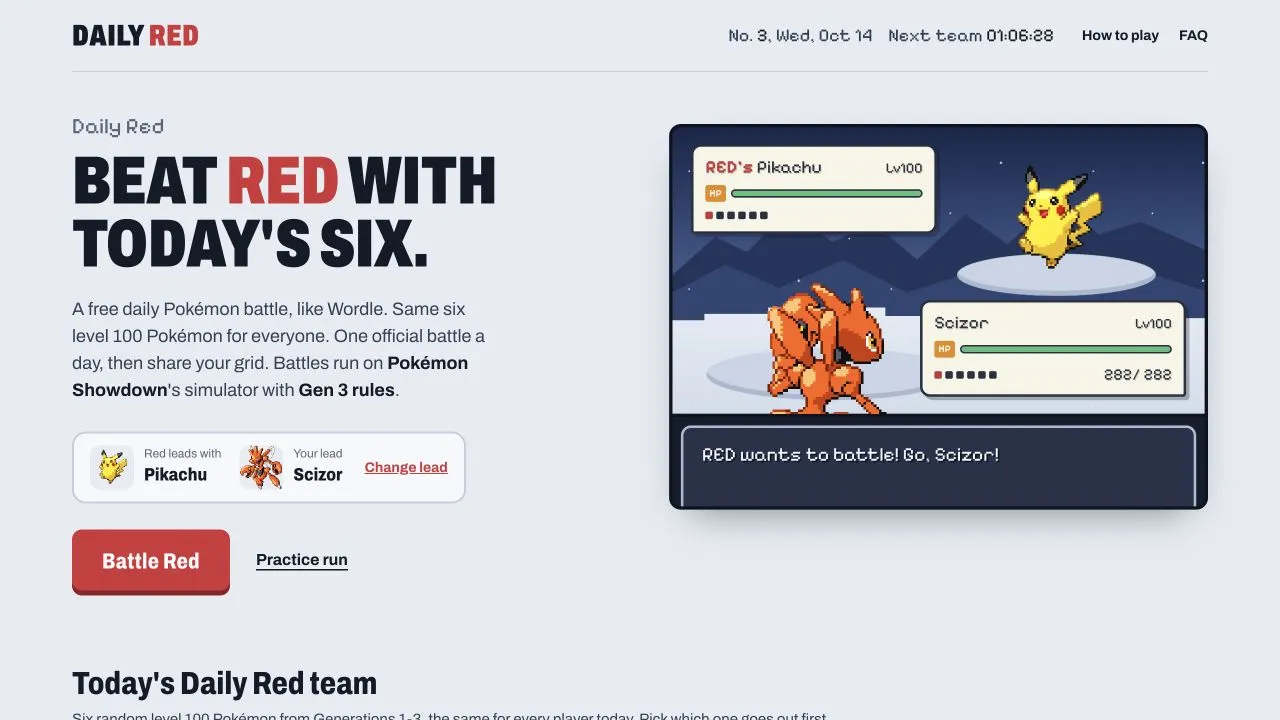
Daily Red is a daily Pokémon battle challenge: work with the day’s team of six to fight Red. Check the version before following a guide. This page documents a real October 14, 2026 session on daily-red.com, an independent adaptation, and separates it from the original amoi-builds project.
The checked browser version reached both practice and daily battles without an account, download or original game-file prompt. We tested an attack, a party switch, a daily-battle reload and a voluntary surrender. The result was a recorded loss, not a completed victory or a guaranteed winning route.
Which Daily Red version are you opening?
| Project | What its source says | What this guide checked |
|---|---|---|
| Original Daily Red by amoi-builds | FireRed-engine project using browser emulation; the repository contains patches and site code and was archived on October 11, 2026. | Repository documentation only; no local build or original-engine battle |
| daily-red.com | Independent adaptation using Pokémon Showdown with Generation 3 rules; its FAQ explicitly distinguishes it from the original project. | Browser entry, attacks, switching, daily resumption and surrender result |
Neither is an official Pokémon release. An adaptation sharing the Daily Red name does not establish a shared operator, an identical daily team or identical saving behavior. Our Open Daily Red button goes to the independent .com version tested here. It is not labeled as the original developer’s website.
Start a Daily Red battle
The checked entry displayed No. 3, Wednesday, October 14 and a countdown. Its six team cards were Scizor, Gardevoir, Metagross, Donphan, Breloom and Milotic. This is a dated observation, not a list promised for today’s puzzle whenever you read this guide.
Read the current cards before starting. They expose type, held item, ability, stats and moves. Selecting a different lead changes your opening choice; it does not let you replace the whole daily roster.
- Open the host and confirm its address, displayed date and challenge number.
- Review your team and Red’s opening opponent.
- Select a team card to change the lead if needed. Our daily check selected Donphan before starting.
- Choose Practice run to learn the controls, or Battle Red for the daily attempt. Wait for the battle controls after the loading message.
- Check the mode label above the battlefield before making your first move. Practice explicitly says it is not recorded.
The practice opening in our check used Milotic, while the daily battle used our selected Donphan. Follow the actual battlefield rather than assuming the preview or a separate run proves your active lead.
Attacking, switching and reading the battle log
The battlefield presents four moves, a party control and RUN. Move details include remaining PP, type and an effectiveness label. The on-screen instructions also list arrow keys and Enter; our recorded actions used mouse clicks, rather than a keyboard-control test.
In practice, choosing Surf advanced the fight to Turn 2. The log recorded Milotic taking Thunderbolt, then knocking out Pikachu with Surf. Milotic displayed 101/394 HP, and Surf had 23/24 PP. Red then sent out Venusaur. These are results of one checked exchange, not fixed damage predictions.
For a party switch, open POKéMON, select a healthy party member, then choose SHIFT. Selecting the card alone opened further actions; it did not immediately switch. Our change to Scizor consumed the turn: Venusaur attacked, and Turn 3 showed Scizor at 267/282 HP. This is why switching should be treated as a battle decision rather than a free menu action.
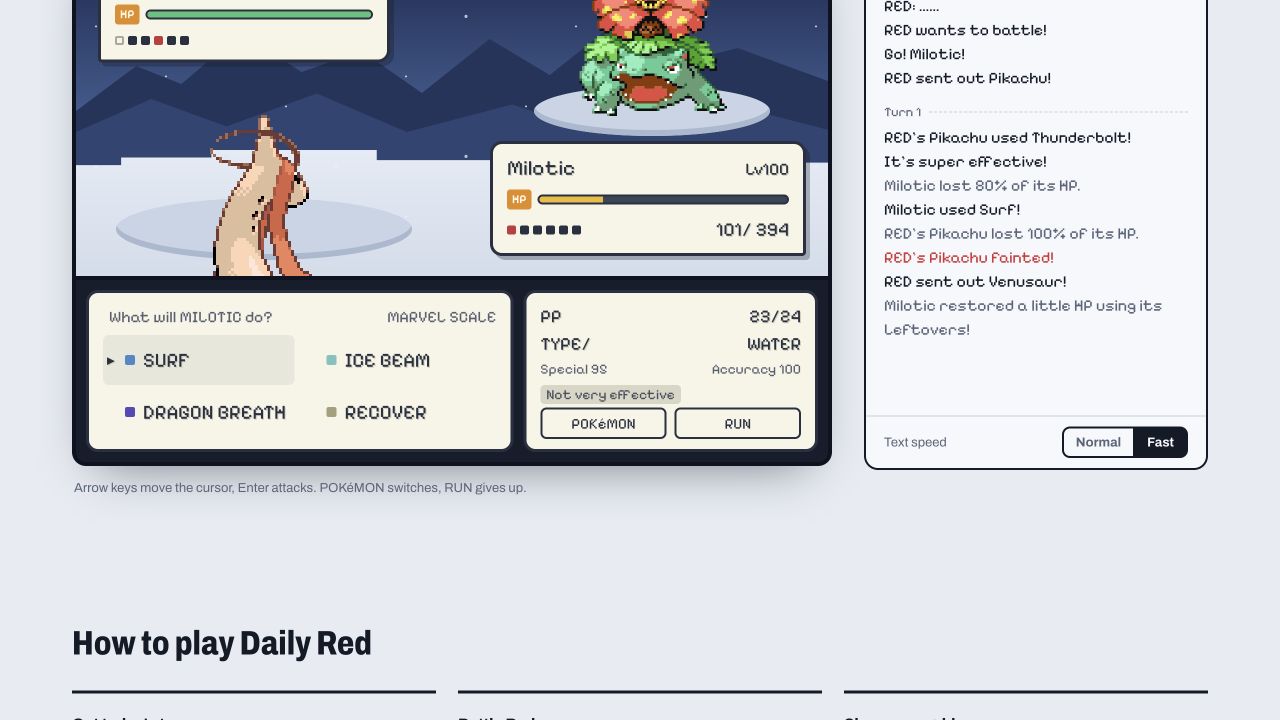
Practice exchange captured October 14, 2026 on daily-red.com. Pokémon characters and game presentation belong to their respective owners.
Use the log to distinguish an opponent attacking first, a move missing, a faint and held-item recovery. Our daily opening used Earthquake against Pikachu, but Pikachu used Iron Tail first and lowered Donphan’s Defense. A favorable matchup label did not prevent the opponent from acting.
Does Daily Red keep a battle after refreshing?
The tested modes behaved differently. Reloading our practice run returned to the entry page; it did not resume Turn 3, and the recorded-play counter remained zero.
In the daily battle, we reloaded after Turn 1 had resolved. The entry offered Resume battle. Choosing it restored Turn 2, Donphan at 363/384 HP, Earthquake at 15/16 PP, and Red’s Blastoise as the opponent. The log also identified the resumed battle.
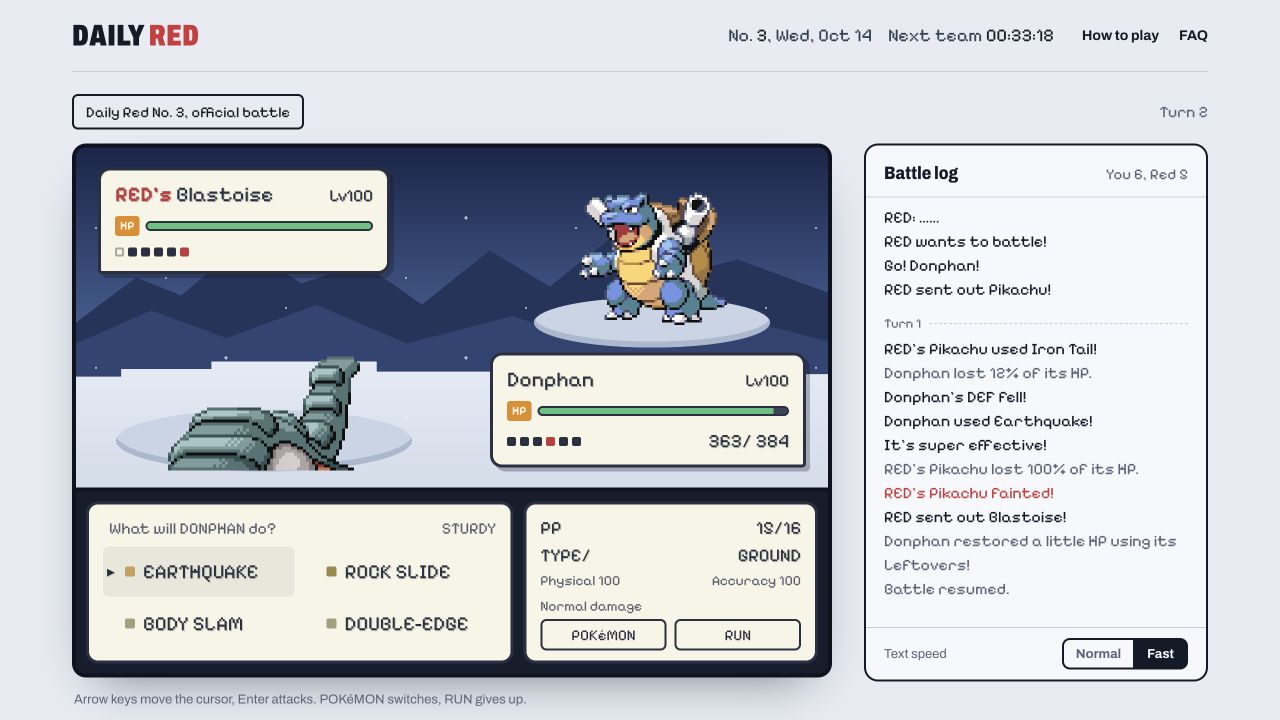
Same-browser daily-battle recovery, October 14, 2026. This does not establish cross-device or private-browsing recovery.
Protect that browser’s data before relying on a return visit. We did not clear storage, change devices or test the midnight rollover. The directory’s Save game button bookmarks this guide; it does not back up the external battle or streak.
What happens when you use RUN?
RUN opened a confirmation warning that surrender counts as a loss. Choosing NO would leave that decision unconfirmed; our check deliberately chose YES to verify the result path.
The result reported a loss, one defeated opponent out of six, and one turn. Statistics showed 1 Played, 0% wins, 0 win streak and 1 day streak. After another reload, the host retained the day’s loss and offered result viewing and practice instead of a fresh daily attempt.
The result exposed Copy result, but copying or posting a share was not tested. This check ended through surrender; it did not defeat Red’s full team. Read the confirmation before using RUN as though it were a harmless pause button.
Daily limits, mobile and loading
The tested host describes one scored attempt per day, separate practice runs and a reset at local midnight. Its use of “official battle” names its own scored mode; it does not mean Nintendo endorses the game. Check the current date and countdown. We did not wait through a reset or compare time zones.
At a 390 × 844 browser viewport, the entry and practice battlefield stayed within the 390-pixel document width, and the party menu opened with mouse input. This checks the narrow layout, not a physical phone, touch accuracy or mobile performance.
Battle loading and a ready move menu are different stages. Wait for the active fighter, turn and controls before entering another action. If loading remains stuck, note the last visible message and use our browser-game troubleshooting checks. Avoid clearing site data while trying to preserve an unfinished daily attempt.
Daily Red FAQ
Is this the same as PokéSurvivor?
No. Daily Red here uses turn-based moves and party switching. PokéSurvivor uses a survival run with movement and level-up choices. Their saving rules differ.
Is there a verified winning team in this guide?
No. The roster and exchanges above are dated test evidence. They are not a daily solution, an optimal build or a promise about later teams.
Can I replay without affecting the daily record?
Use the host’s separate practice control and check its mode label. Our practice run was labeled unrecorded and did not increase the played counter. The daily surrender did increase it.
Will the original project resume in the same way?
Do not assume that. The original repository documents its own battle and reload behavior. Our recovery observation applies only to the checked independent host.
What else can I play daily?
Originle uses video clues to identify a represented country; Krillion asks for uncommon trivia answers. Return to the game list to compare their checked access and requirements.
For a separate fan project in development, the Pokémon Arena 2D release-status guide explains Big Kid Nation’s Play here notice and distinguishes announcements and voting from playable access.
Sources
Check the sources below for current product details, requirements and terms.