
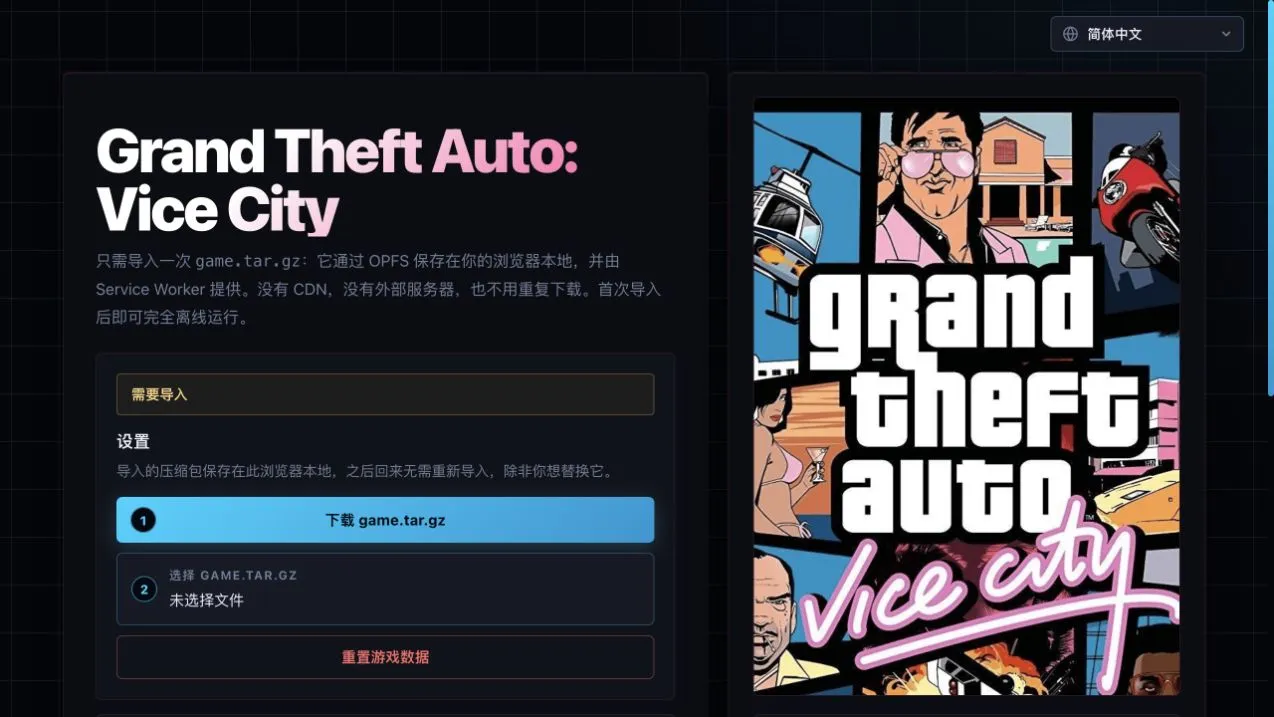
GTA: Vice City — WASM Port is an unofficial browser client at the project’s GitHub Pages address. Its setup screen requires a local game.tar.gz import before Start becomes available. The project says it is not affiliated with Rockstar or Take-Two and requires a legitimate copy of the game. This guide covers the project’s stated own-files setup only; it does not link to, host, or recommend any game archive supplied by a third party.
Open the GTA: Vice City WASM Port ↗
Prepare your own game archive
The checked setup requires a game.tar.gz archive prepared from your own legitimate Vice City copy. Select that local archive through the host’s file picker, then wait for the import to finish. The project uses OPFS (Origin Private File System) and Service Worker storage, so imported data is kept locally in that browser profile. Start remained disabled until setup had a usable local archive.
The repository describes the archive as roughly 668 MB compressed. Treat that as a planning figure, not a guaranteed download size or a performance target. The site may expose a download-archive control, but this guide intentionally does not republish, link to, or direct readers toward an external game-data archive. Use files you prepared from your own copy and follow the project’s current setup instructions.
- Open the canonical GitHub Pages address in a current browser.
- Confirm you have a
game.tar.gzmade from your own legitimate game files. - Select it through the local file picker and allow the import to complete.
- Start only after the host enables its Start control.
- Keep any exported saves separate before clearing the site’s local data.
Browser, storage, and save notes
The project repository recommends a browser with WebAssembly, OPFS, and Service Worker support: Chrome 110 or later, Firefox 111 or later, or Safari 16.4 or later. Browser support is necessary for the client to initialize; it does not establish that every computer will deliver the same graphics, controls, or loading result.
The host supports importing PC saves in .b or .zip form and includes options for skins, cheats, touch controls, and progressive-web-app installation. These are host-described features. No game mission, controller path, mobile session, or frame-rate measurement was independently tested for this guide.
OPFS data belongs to the browser profile. Using private browsing, a different browser, site-data removal, or a browser-profile reset can leave the imported data and saves unavailable. Use any project-provided save export before maintenance. Do not clear this site’s data merely to solve a slow first launch without first protecting saves you want to retain.
When setup or Start does not advance
First distinguish the two states: a disabled Start button can mean the local archive has not finished importing, while an enabled Start button does not prove a game scene has loaded. Keep the tab open for the current import. If it stops with a clear error, note the exact wording and retry once with the same local file.
For a later loading or focus problem, click inside the player before testing controls. Compare one current browser or clean session before changing many browser options. The browser-game troubleshooting guide explains controlled checks for focus, storage, and graphics. Never bypass browser-security warnings or seek replacement copyrighted data from unknown download pages.
Is this an official Rockstar version?
No. The project says it is unofficial and not affiliated with Rockstar or Take-Two.
Can I start without importing game files?
The checked setup required a local game.tar.gz; Start was disabled until the setup condition was met.
Where are imported files stored?
The project documents local OPFS and Service Worker storage in the active browser profile.
Is this the GTA 5 Web project?
No. This guide covers Vice City and its own-files setup, not GTA V. Our GTA 5 Web status guide records the separate live-address and historical loading checks; it does not provide a verified GTA V play button.
Sources
Check the sources below for current product details, requirements and terms.