
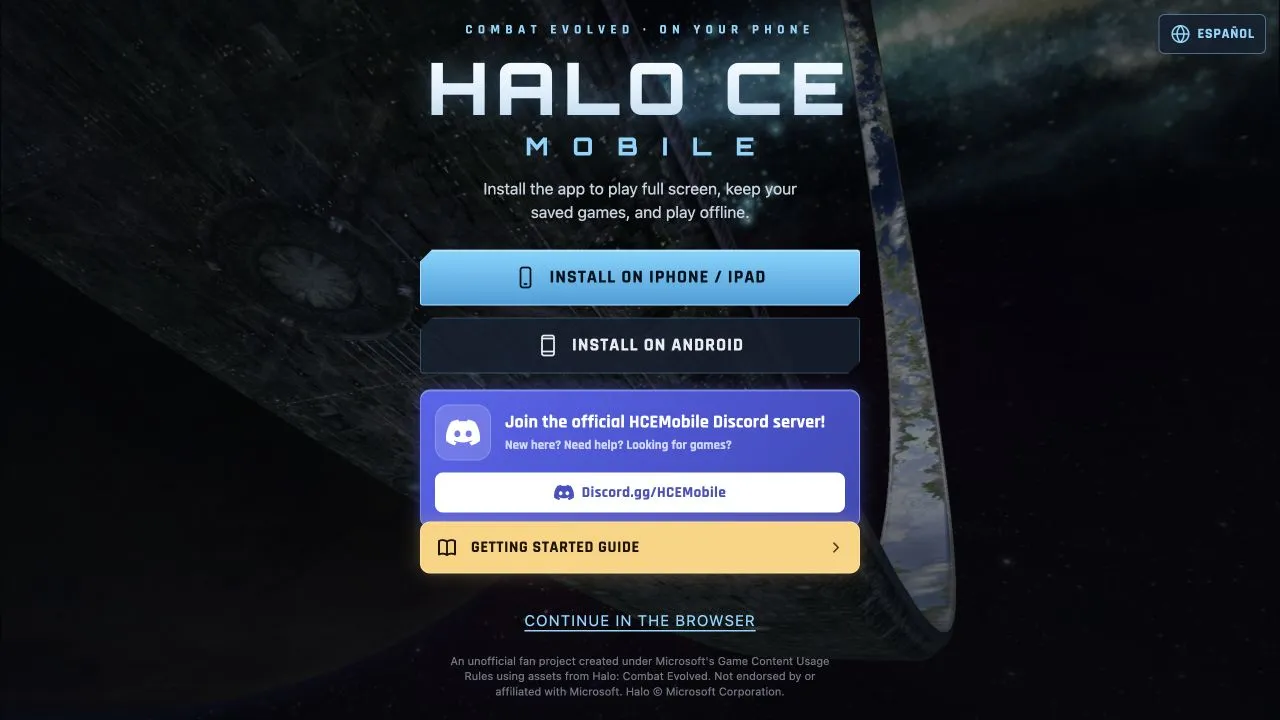
Halo CE Mobile is an unofficial browser project for Halo: Combat Evolved. Its welcome screen offers app installation or Continue in the browser. The site says it requires a verified original-Xbox Halo: Combat Evolved .iso or .xiso owned by the player; no game data is included. This guide covers that stated local-data route, not a downloadable game archive or an independent full-campaign test.
Add your own verified disc image
After choosing Continue in the browser, use Choose disc image to select your own verified original-Xbox .iso or .xiso. The host says it copies the game’s maps folder into the app’s private storage, up to about 1.8 GB. It also says nothing is uploaded and that the original disc-image file may be deleted after the copy completes.
The page also shows a Load-from-URL option, but that is for a direct link to your own disc image. Do not use it to locate or share copyrighted game archives. A cloud-provider sharing page is not necessarily a direct file URL, and the host specifically notes that Google Drive sharing pages do not work for this purpose.
- Open the official project page and select Continue in the browser, or install the progressive web app through the normal browser prompt.
- Prepare a verified disc image from a copy you are entitled to use.
- Select the local image and allow the map data to copy to the browser’s private storage.
- Keep the browser open until the host reports that setup is complete.
- Preserve saved games through the project’s export option before clearing the site’s data or changing devices.
The project names cybersecurity’s halo-ce-universal as its technical basis, rather than the unrelated thelinkin3000 project. The host also identifies itself as a fan project and says it is not endorsed by Microsoft.
Accounts, offline play, and controls
According to the host, campaign, split screen, and System Link do not require an account. A free account is offered for online matchmaking and custom lobbies. Account creation is therefore an optional online step, not part of importing the local game data. Read the account screen and current lobby availability before registering; do not assume a public match is waiting.
The project describes editable touch layouts plus Xbox, PlayStation, Switch Pro, MFi, and Backbone controllers. It also lists keyboard and mouse support. Start with one input method, click or tap the game area when it has focus, and adjust a single control setting before evaluating its effect. The project offers performance-detail and graphics-report tools, but this guide does not claim a measured resolution, frame rate, campaign completion, or device-wide compatibility result.
Storage and troubleshooting
The data copy is local to the browser or installed app. Browser resets, site-data removal, or a different profile may remove access to imported data or saves. Use the host’s save export and restore tools before taking any cleaning action. If setup stalls, keep the tab foregrounded, capture the exact message, retry once after a clear failure, and compare using another current browser only if needed.
For controls that appear unresponsive, first reselect the game surface. For graphics or loading issues, use the browser-game troubleshooting guide rather than bypassing browser security controls.
Does Halo CE Mobile include Halo data?
No. The host says you supply a verified original-Xbox .iso or .xiso from your own copy.
Do I need an account to play campaign?
The host says campaign, split screen, and System Link do not require one. It describes accounts for online matchmaking and custom lobbies.
Is it an official Microsoft release?
No. The project labels itself unofficial and says it is not affiliated with or endorsed by Microsoft.
Sources
Check the sources below for current product details, requirements and terms.