
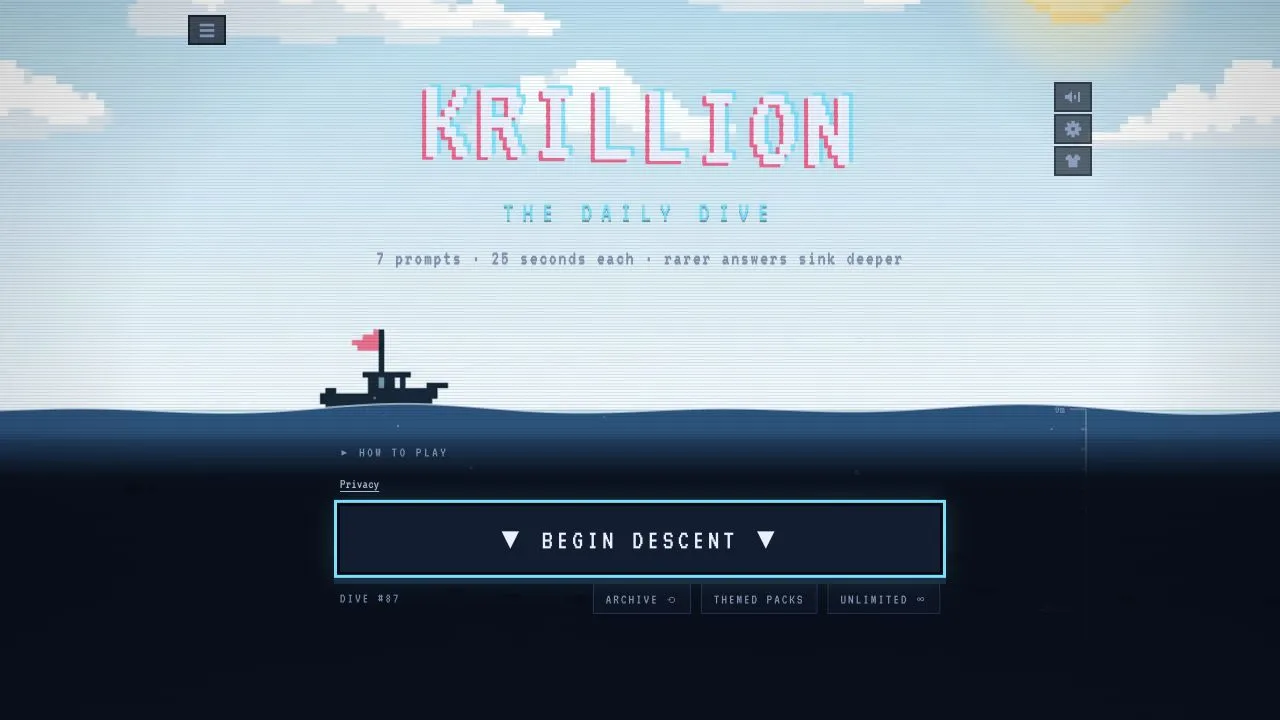
Krillion is a browser word game framed as a deep-sea dive. Its official play screen describes the Daily Dive as seven prompts with 25 seconds for each response: name one thing that fits the prompt, then aim for a rarer answer. The site says every point moves the dive 10 metres and that 700 reaches the trench.
Start today’s Daily Dive
- Open Krillion, choose Daily dive, then select Begin Descent when it appears.
- Read the prompt, type one answer, and submit it before the 25-second round ends.
- Repeat for all seven prompts.
- Review the result after the dive rather than assuming that an unusual answer will score well.
The daily set is the same for everyone, with one attempt and no second chances. An October 10 desktop-browser check reached Prompt 1 of 7 after Begin Descent. When its 25 seconds expired without an answer, the page showed Nothing landed, awarded 0 points, and advanced to Prompt 2 of 7 after Descend. This confirms the opening and timeout flow, not a completed dive. The FAQ says answer sets are aggregated and cleaned from reference datasets; rarity can also include manual review.
Choose the right mode
Krillion’s menu currently exposes four main ways to play:
| Mode | Use it for |
|---|---|
| Daily dive | The shared seven-prompt daily run |
| Unlimited | More play beyond the daily attempt |
| Archive | Returning to surfaced daily dives |
| Themed packs | Prompts grouped by a subject or pack |
The site also lists My Krillion and Friends as separate menu areas. Use the labels currently shown on the site because its modes and account options can change.
Progress, accounts, and site data
Krillion says it can be played without an account. Its privacy information says guest progress, in-progress games, preferences, a selected character, and a random player ID live in browser local storage. Clearing site data can erase those local copies. If you use the optional Google sign-in and My Krillion, the site says completed daily, archive, and pack games can be saved to the account; games in progress and device settings do not sync.
Before clearing browser data, consider whether you need that guest history. Reload once, then compare another current browser if a page or input misbehaves.
If a dive will not begin
Wait for the page to finish loading, then distinguish a missing control, failed submission, and completed daily attempt. Keep the tab active during timed rounds. If the issue persists, record the page URL, browser version, device, and visible message. See browser-games troubleshooting for general checks.
Sources
Check the sources below for current product details, requirements and terms.