
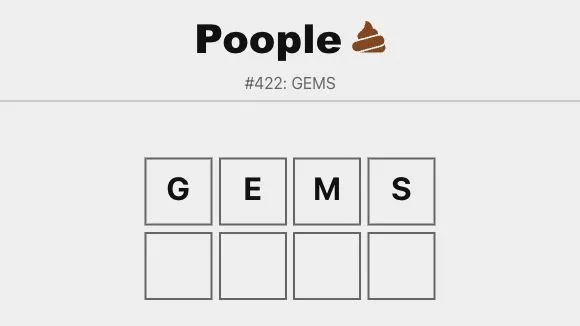
Poople is the official daily word game at poople.io. Its How to Play guidance asks you to change one letter at a time until you reach POOP. On October 10, 2026, the homepage showed GEMS #422, following CARB #421 the day before.
Start today’s puzzle
- Open the official Poople page and choose Click here to play.
- Read the current board and the on-page How to Play instructions.
- Enter a valid next word that changes one letter from the current word.
- Continue one letter at a time until the chain reaches POOP.
On October 10, the play link opened the GEMS #422 grid and keyboard in a desktop browser; physical-keyboard letters could be entered without submitting a guess. The page also exposes its current puzzle statistics and a yesterday-answer control. If an advertising panel offers Continue to Start, do not mistake it for the game’s own play control; use the official Click here to play link to begin.
Plan a one-letter chain
The key constraint is a single-letter change per move. Before submitting, compare your proposed word with the word currently on the board: preserve the other letters and change only one. A useful way to avoid accidental invalid attempts is to decide which position you want to change, write the next word, and compare the two words character by character.
Aim for a route that leaves sensible options for the following move. When you are close to POOP, work backward mentally from the target while still checking that each submitted word is accepted by the official game. The page’s own validation is the authority for its word list and current puzzle behaviour; a word that seems familiar may not be accepted in a particular game.
If the page or input is not working
First check that the tab is active and click into the game before typing. Browser focus can send physical-keyboard input to the address bar or another page element instead of the grid. Reload the official page once after checking your connection. If the issue remains, compare it in another current browser. For a wider diagnostic checklist, read browser-games troubleshooting.
Sources
Check the sources below for current product details, requirements and terms.