
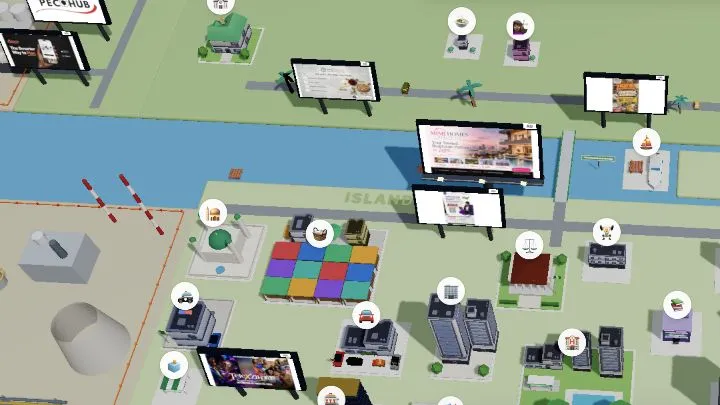
Lagos Life is an online, fictional life-simulation game. Its public homepage presents Sign up and Log in, so viewing the city preview and entering a personal game are separate steps. The official disclaimer identifies Shalom Rayhamen as the operator and says the game is designed for entertainment.
Open the official site
- Go to the official Lagos Life homepage.
- Choose Sign up if you need a new account, or Log in if you already have one.
- Complete the site’s own account flow and review its current terms before providing information.
- Once signed in, follow the in-game prompts and interface for your first character or session.
The public homepage currently previews locations including Market, The Library, Office, and Beach. This confirms the public preview, not the specific interactions available after signing in. Use the current in-game labels once you have entered an account.
Game Naira and the city setting
Lagos Life says it draws on Nigerian life, but its events, places and systems can be fictionalized or changed for gameplay. Its in-game ₦ amounts are Game Naira: the disclaimer says they are not Nigerian legal tender and cannot be withdrawn into a bank account.
Account and browser basics
The current terms say one person should use one account and prohibit exploits or interference with the game or its servers. Keep the game tab active while testing it. If a control is unresponsive, click back into the page and check its on-screen prompt before changing browser settings.
If the page looks incomplete
First distinguish a sign-up or login issue from a display issue. Confirm that you are on lagoslife.app, reload once after checking the connection, and note the exact message or visible state. If the preview still renders incompletely, test another current browser. For broader diagnosis, read browser-games troubleshooting.
Sources
Check the sources below for current product details, requirements and terms.