
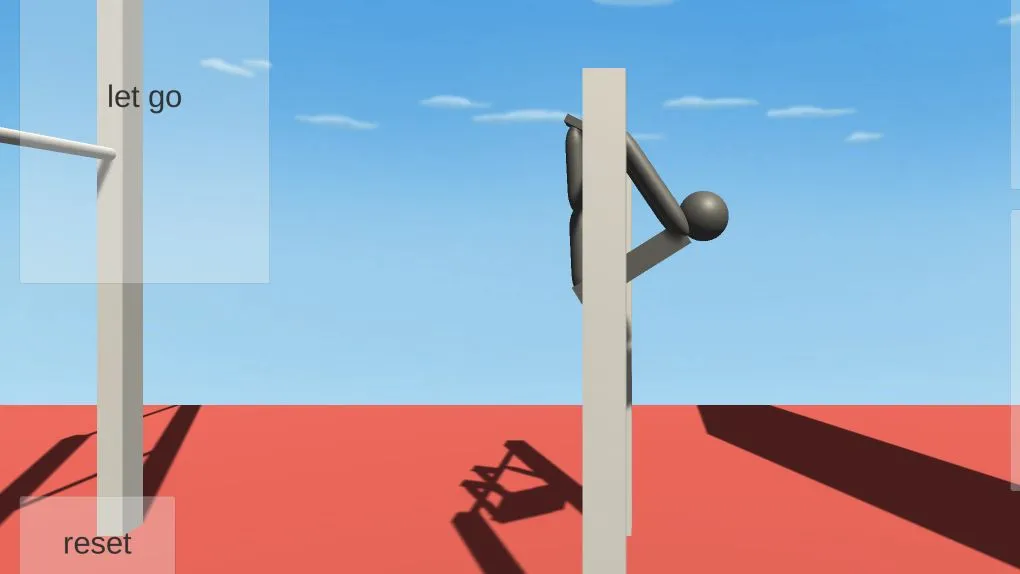
NoomiClone is an in-development HTML5 Unity simulation by jamesnorth, published on itch.io. The official page offers a browser build and lists its keyboard controls. It also links separately to a mobile version, so do not assume the two versions have the same controls or available maps.
Start the web build
- Open the official itch.io page and select Run game.
- Let the embedded game area finish loading before repeatedly refreshing the page.
- Click inside the game area before using the keyboard, so that the browser sends input to the game rather than the page or address bar.
- Use the controls below to begin. Press R when you need to reset the current attempt.
An October 10, 2026 desktop-browser check reached the blue-sky, red-ground scene with a character on a horizontal bar and the on-screen actions arch, tuck, let go, and reset. This confirms the opening state, not a full playthrough or every feature.
Browser keyboard controls
| Key | Officially listed action |
|---|---|
| Left Arrow | Arch |
| Spacebar | Tuck |
| Up Arrow | Let go |
| R | Reset |
If a key does not respond, click back inside the game area and try again. A browser tab that has lost focus may not send keyboard input to the Unity game.
Browser build and mobile version
Choose the browser build when you want the listed arrow-key, spacebar and R controls. For touch play or a different map selection, follow the mobile link on the official page and use that version’s instructions.
When the game will not start
Check the visible stage before changing settings: the itch.io page, a Unity game area still loading, and a loaded game that lacks keyboard focus are different issues. Wait for the game area to settle, then reload once if it remains incomplete. If it still will not load, compare it in another current browser. For a broader recovery sequence, see browser-games troubleshooting.
Sources
Check the sources below for current product details, requirements and terms.