
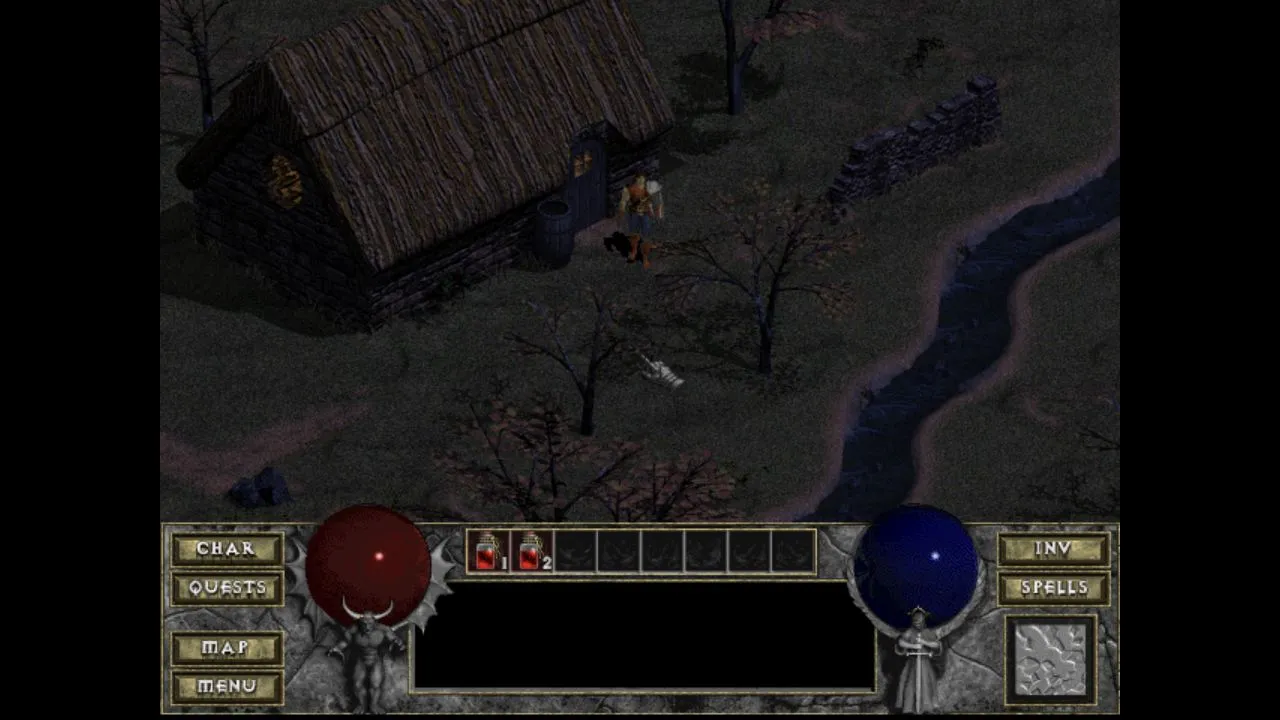
DiabloWeb is a browser project built from WebAssembly. Its project documentation says its hosted version includes spawn.mpq from the Diablo shareware release. For the full game, the documentation says to use your own DIABDAT.MPQ from an original copy. Keep those two paths distinct: a browser page does not grant rights to game data you do not own.
Choose the appropriate start
Open the hosted project and wait for its page controls to appear before refreshing or opening several tabs. Select Play Shareware for the included trial data. If you already have an original copy and plan to use the full-game path, follow the project’s current on-page instructions for selecting your own DIABDAT.MPQ; do not search for an arbitrary replacement file online.
This guide is about a webpage in your browser. It is separate from the Windows software described in our download guide, and neither one is required in order to read the other.
Start the shareware session
After loading and the opening sequence, choose Single Player, select Warrior, enter a character name and confirm it. The October 10, 2026 desktop browser check followed this route into the town scene. This verifies startup of the shareware path, rather than multiplayer, full-game files or a complete campaign.
The initial page also has Select MPQ for owned-game data. Shareware and the full game are separate choices: buying a PC utility does not unlock Diablo content.
The project README documents the hosted shareware data and the owned-file path; it does not establish browser multiplayer or cross-device saves. The October 10 check reached the shareware town in single player only. Treat a character as browser-specific unless the live project provides an explicit save, export, or import action, and confirm any network-game option from the project’s current interface before inviting another player.
Give the game a clean browser session
Keep the game tab active while you test it. Click inside the game area before assuming the keyboard or mouse has failed: the browser may be sending input to an address bar, page control, or another tab. Escape can release a captured pointer; click back in the game when you need to resume input.
Start with the default page view and one open tab. Extensions that alter scripts, privacy settings, keyboard shortcuts, or page layout can affect browser games, so compare once in a private window or a second current browser if something looks wrong. That comparison is diagnostic, not a reason to turn off browser protections.
Work through loading and display issues
First reload the page once after checking the connection. If the game area remains blank or stops responding, try a current browser with WebGL and hardware acceleration enabled according to its normal settings. A managed computer may restrict those settings; respect organization policies and ask the device administrator when required.
Before clearing a site’s stored data, save or note anything you need. Clearing website data can remove that site’s saved preferences or progress. Use the browser’s per-site controls so you do not erase unrelated data by accident.
Do not bypass certificate, download, or security warnings in an attempt to make the project work. Record the browser version, the page URL, and the exact symptom if you need to report an issue to the project.
For general fixes, read browser-games troubleshooting. Return to the games list to compare projects, or read Quake in a browser for a focused-session checklist without a game-data step.
Sources
Check the sources below for current product details, requirements and terms.