
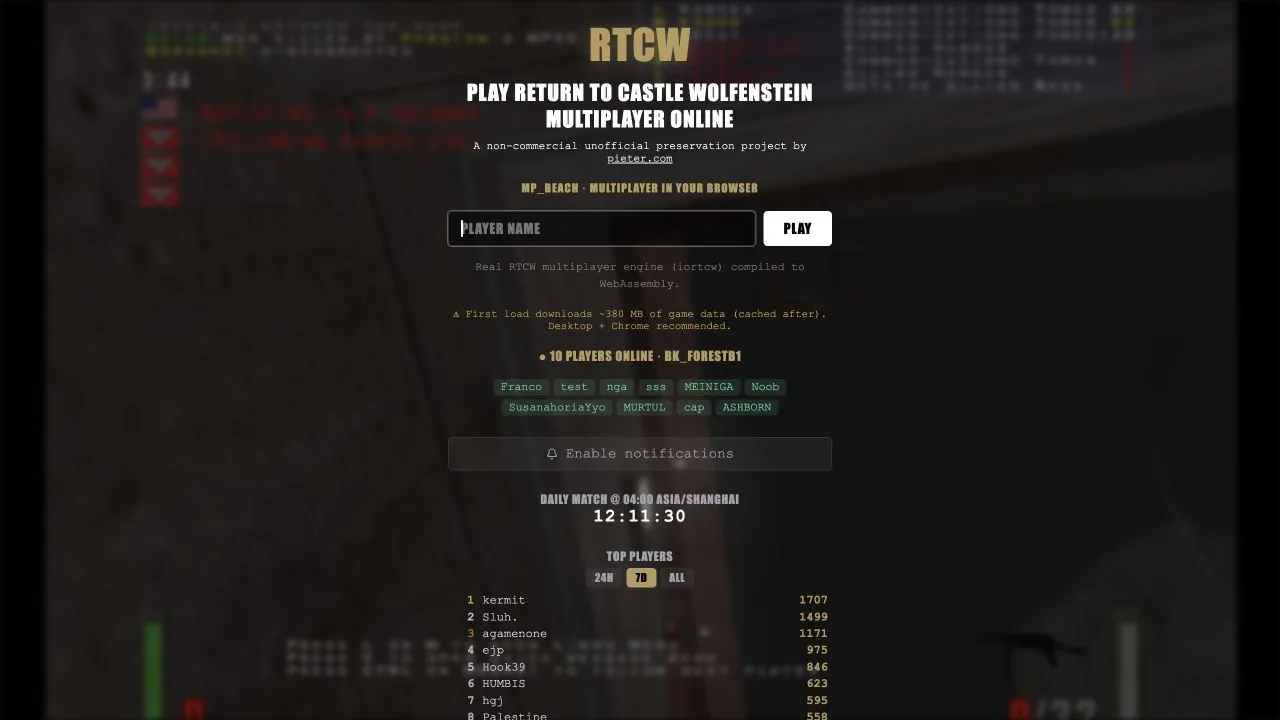
rtcw.pieter.com is a non-commercial, unofficial preservation page for Return to Castle Wolfenstein multiplayer. The page presents a small launcher rather than a campaign browser: it shows the mp_beach map label, a Player name field, and a Play button. A notification toggle and Top Players filters for 24h, 7d, and All are also visible. This guide records that entry state; it does not claim that a match has been joined or that the single-player campaign is available.
What the page says
The site identifies its engine as the real RTCW multiplayer engine, iortcw, compiled to WebAssembly. It warns that the first load downloads about 380 MB of game data and that the data is cached afterward. The page recommends a desktop browser and Chrome. Allow time for the initial download before diagnosing a blank canvas as a failure.
The page does not show a sign-in flow or an owned-file picker. Its footer calls the project unofficial and says it is not affiliated with id Software, Activision, or Bethesda Softworks. The underlying iortcw repository is the primary engine reference; its README documents native installation and original RTCW data requirements, but those native instructions should not be copied into this browser guide as an unverified browser requirement. The browser page itself is the authority for the visible 380 MB load notice.
Controls and first run
- Open rtcw.pieter.com.
- Enter a player name.
- Select Play when ready to start the multiplayer loading route, then allow time for the first data download.
- If the pointer is captured by the canvas, use the browser’s normal escape gesture to release it. Keep the tab focused while the WebAssembly client initializes.
The heading labels the launch route mp_beach; live server-map details can differ from that banner. Do not treat a landing-page label as proof of a campaign or a guaranteed selected map. The player leaderboard filters are informational controls on the landing page.
Troubleshooting
If the page appears idle, check that the initial data request is progressing and that the browser has enough free storage for cached assets. A desktop Chrome session is the page’s stated recommendation. Notification permission is optional and does not need to be enabled to use the Play entry. If startup is blocked, review the browser’s visible message and the host’s instructions; do not disable browser security protections. If the page loads but Play does nothing, reload after the first download completes and keep the tab in the foreground.
FAQ
Is this the full original game? The visible page is a multiplayer launcher. It does not document a full campaign.
Do I need an account? The opening screen does not present an account step; a later flow may differ.
Is it an official id Software release? No. The page explicitly describes itself as unofficial.
What should I expect on first load? Approximately 380 MB of game data, then browser caching.
Related: QuakeWorld, Black Ops browser notes, and browser troubleshooting.
Sources
Check the sources below for current product details, requirements and terms.