
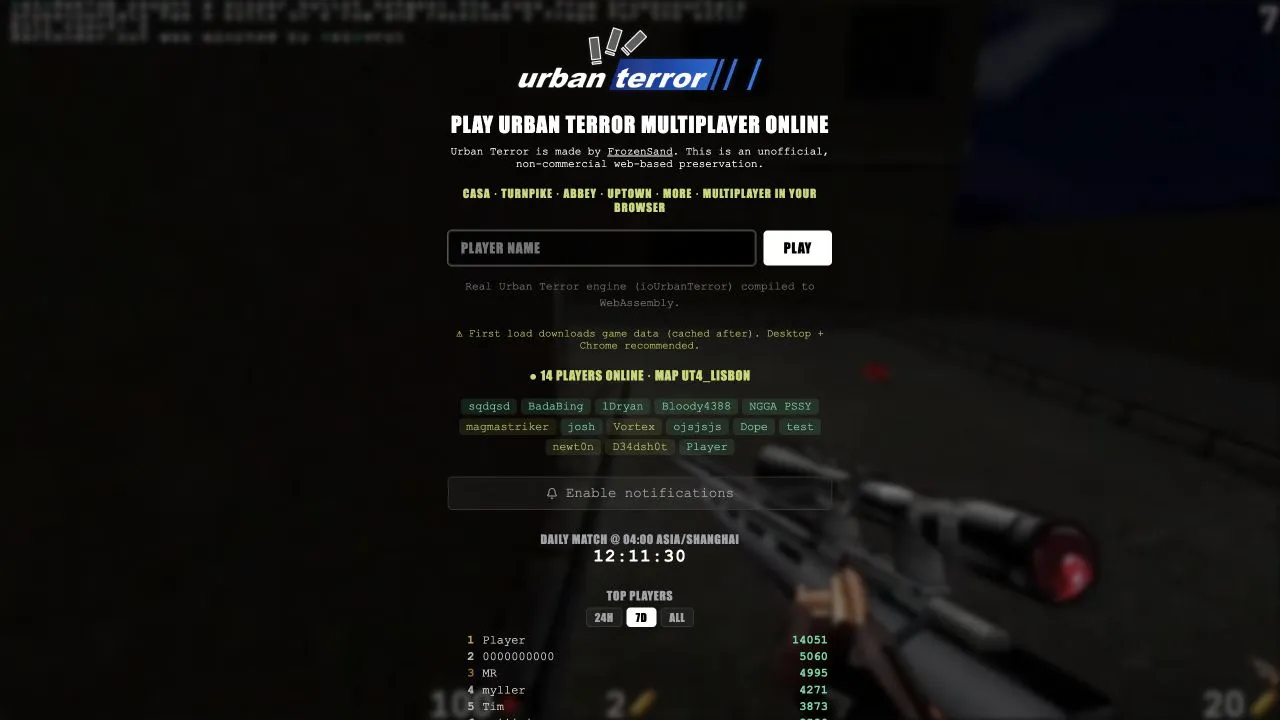
ut.pieter.com is an unofficial, non-commercial browser preservation page for Urban Terror. Its landing screen lists casa, turnpike, abbey, uptown, and more, then provides a Player name field and Play button. It also exposes notifications and Top Players filters for 24h, 7d, and All. Those are the controls verified on the entry page; they are not evidence of a complete single-player mode.
Engine and loading
The page says it runs the real Urban Terror engine, ioUrbanTerror, compiled to WebAssembly. It warns that the first load downloads game data and that the data is cached afterward. Desktop Chrome is the stated recommendation. Let that first transfer finish before judging the canvas or Play action. The page does not show an account form or an owned-file selector.
The footer credits FrozenSand as the creator and owner of Urban Terror, links to urbanterror.info, and labels this browser version an unofficial fan project. It is not presented as an official id Software or FrozenSand release. The linked original Urban Terror site is a separate distribution from this preservation host.
First run
- Open ut.pieter.com.
- Enter a player name.
- Select Play when ready to start the host’s multiplayer loading route.
- Allow time for its initial game-data download; the check stopped at the name-and-Play entry.
The map names on the landing screen are useful orientation labels. The page does not state that every listed map is immediately selectable, nor does it expose a campaign or offline mode. The word more does not enumerate additional maps.
Troubleshooting
Use a desktop Chrome session as the first diagnostic path because that is the site’s recommendation. If the page remains on its loading state, review its visible error and your browser’s site permissions without disabling browser security protections. A first-run transfer can take time and should be allowed to finish before reloading. If a reload is necessary, preserve the tab until cached data has been written. If Play does not respond, return to the landing page after the download rather than repeatedly opening new tabs.
FAQ
Is this official Urban Terror? No. The page calls it unofficial and non-commercial.
Does it require an account? The opening screen does not present an account step; a later flow may differ.
What is the engine? ioUrbanTerror compiled to WebAssembly, according to the page.
Which maps are shown? casa, turnpike, abbey, uptown, and more.
Related: QuakeWorld, Return to Castle Wolfenstein, browser troubleshooting.
The page’s map strip and leaderboard are useful orientation points when comparing a later visit with this evidence. If those labels disappear, first confirm that the correct host loaded rather than assuming the game content changed. Keep the distinction between the browser preservation page and the separately linked original Urban Terror distribution clear when writing support instructions.
Sources
Check the sources below for current product details, requirements and terms.